
3D LED Walls at Internal Events: Logos, Awards and Thank-You Videos
How to use wall-to-wall 3D LED screens at internal company events: projecting logos, award boards and year-in-review videos, plus a file-prep checklist for the day before.
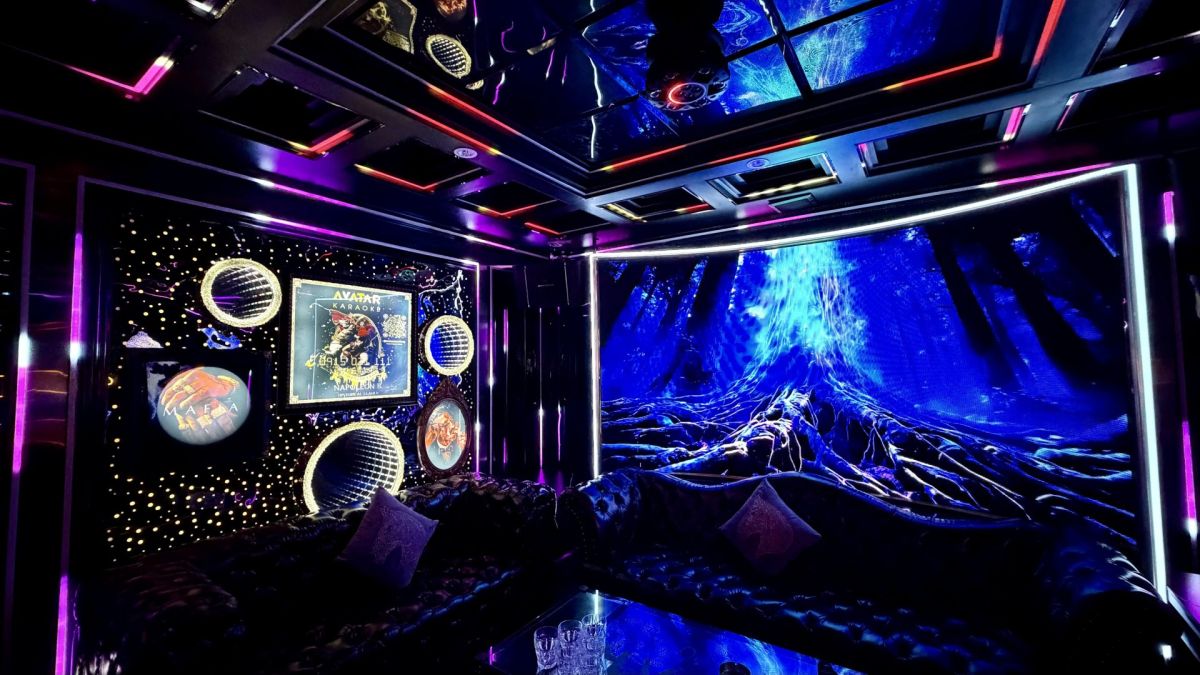
Most people booking a room see a wall-to-wall LED screen as attractive decoration. For someone running an internal event, it is a projection device — and that shift in view is what makes the difference.
What a 3D LED wall is
Instead of a television on the wall, one or more entire walls (sometimes the ceiling too) are fitted with seamless LED panels. The image wraps the whole space, so people in the room feel they are inside a scene rather than looking at a frame.
Technically, for event purposes, the point that matters is this: it will accept your own content, not just song lyrics.
Five ways to use it at a corporate event
1. Your logo across every wall as guests walk in
The moment 30 staff open the door and see their own company logo covering all four walls creates the feeling of "this is our event", not "we have rented a room".
Cost: nothing. Just send the logo file in advance.
2. A year-in-review or thank-you video
Play it early, once everyone has settled. This is the strongest emotional moment in the whole programme and also the cheapest to produce — photos from the year cut to a music track.
3. An award board
Put each person's name, photo and number on screen as they step up to receive their prize. It lands far harder than reading the name out.
For a sales team, putting the revenue leaderboard on the wall in front of everyone is a very strong motivator.
4. Slides announcing targets and the bonus scheme
At a kick-off, the business content needs to be clearly visible. A large LED wall lets all 50 people read it at once without hiring a projector.
5. Old photos and video messages at family events
For a milestone birthday or an anniversary, playing old photographs and video messages from relatives who could not travel is the detail people still mention years later.
File preparation checklist — send at least one day ahead
| File | Format to use | Note |
|---|---|---|
| Company logo | PNG with transparent background, high resolution | Send both the horizontal and the vertical version |
| Year-in-review video | MP4, 1920×1080 or higher | 2–4 minutes is right; longer loses attention |
| Award board | PNG/JPG or a PowerPoint file | One slide per person, and check the spelling of every name |
| Photos from the year | JPG, at least 1920px wide | Pick 20–40, avoid anything blurry |
| Target slides | PDF or PowerPoint | Large type, few words per slide |
Three things to do before the day:
- Send the files at least one day ahead so the venue can check compatibility
- Arrive 30–45 minutes early to test — the step most often skipped and the one that causes the most problems
- Nominate one person to advance the content during the programme
Three common mistakes with a big screen
Type that is too small. A slide designed for a laptop screen is unreadable from the back of a 110m² room. The rule: no more than 20 words per slide, in large type.
Videos that run too long. After four minutes attention drops sharply — especially when everyone is holding a glass.
Not testing beforehand. Files that will not open, the wrong aspect ratio, or video audio not reaching the speakers are all entirely avoidable with 15 minutes of testing.
On lighting effects: when to turn them down
Continuously animated LED effects suit the singing and the high points, but they should be switched to a soft mode at three moments:
- While a leader is speaking (so attention stays on the speaker)
- While the thank-you video is playing (background effects distract from it)
- When there are older guests or small children in the group
Ask in advance: "Can the lighting be set to a soft mode?" That question separates a room with flexible control from a room with only one setting.
A trend: motion-sensing rooms
Some venues have installed motion-sensing systems — the imagery on the wall reacts to how people in the room move. These rooms tend to be large (40–60 people) and suit big events with plenty of standing and moving around.
For a corporate event, it is a "wow" factor worth considering when you need to make an impression on guests or partners.
Avatar Karaoke — wall-to-wall 3D LED in 30+ VIP rooms in District 1
- Logos, thank-you videos, award boards, target slides — send the files a day ahead and we will have them set up
- A single room for up to 50 guests (110m²) · a motion-sensing room for up to 60
- VAT invoicing
- Free car parking
- 0915.03.1111
See our corporate event packages · room list
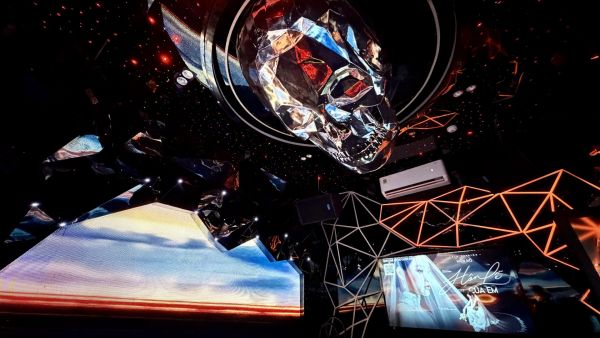
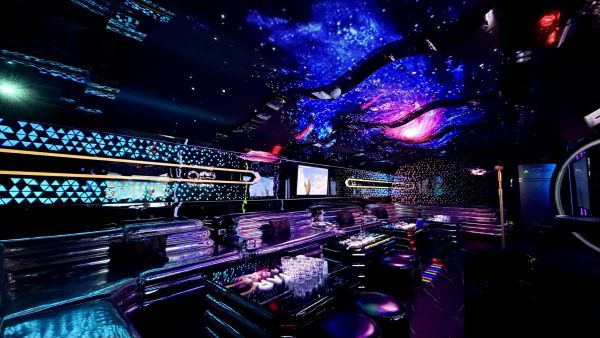
Real rooms at Avatar Karaoke
Read more articles
- Milestone Birthdays & Family Gatherings: Choosing a Space for Three Generations 14/08/2026
- Evening Team Building: Why a Private Space Works Better Than a Restaurant 11/08/2026
- Deal Celebrations & Kick-offs: Run Sheets for Sales, Real Estate and Banking Teams 09/08/2026
- VAT Invoices, Deposits & Payment When Running a Company Party 07/08/2026
- All-Inclusive Party Packages for Companies: Building a Budget for 15–50 Guests 05/08/2026